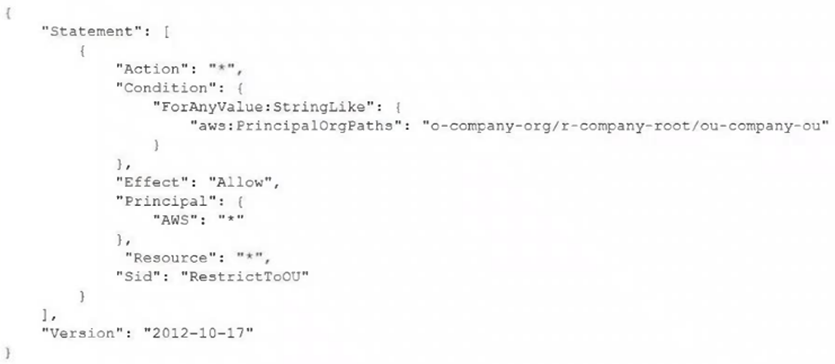
A company manages multiple AWS accounts by using AWS Organizations with OUs for the different business divisions. The company is updating their corporate network to use new IP address ranges. The company has 10 Amazon S3 buckets in different AWS accounts. The S3 buckets store reports for the different divisions. The S3 bucket configurations allow only private corporate network IP addresses to access the S3 buckets. A DevOps engineer needs to change the range of IP addresses that have permission to access the contents of the S3 buckets. The DevOps engineer also needs to revoke the permissions of two OUs in the company. Which solution will meet these requirements?
- ACreate a new SCP that has two statements, one that allows access to the new range of IP addresses for all the S3 buckets and one that denies access to the old range of IP addresses for all the S3 buckets. Set a permissions boundary for the OrganizationAccountAccessRole role in the two OUs to deny access to the S3 buckets.
- BCreate a new SCP that has a statement that allows only the new range of IP addresses to access the S3 buckets. Create another SCP that denies access to the S3 buckets. Attach the second SCP to the two OUs.
- COn all the S3 buckets, configure resource-based policies that allow only the new range of IP addresses to access the S3 buckets. Create a new SCP that denies access to the S3 buckets. Attach the SCP to the two OUs. (correct answer)
- DOn all the S3 buckets, configure resource-based policies that allow only the new range of IP addresses to access the S3 buckets. Set a permissions boundary for the OrganizationAccountAccessRole role in the two OUs to deny access to the S3 buckets.
Reveal answer & explanationHide answer
The correct answer is C. Option C: On all the S3 buckets, configure resource-based policies that allow only the new range of IP addresses to access the S3 buckets. Create a new SCP that denies access to the S3 buckets. Attach the SCP to the two OUs.
Explanation
Amazon S3 provides durable, scalable object storage that is fully managed. Service Control Policies set guardrails on what accounts in an organization can do. AWS Config tracks resource configuration changes and evaluates compliance.