πŸ”

CKA β€” all questions

23 practice questions with answers and explanations.

Topic 1 Β· Question 1

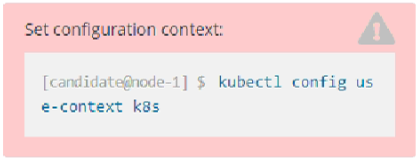
SIMULATION - Context - You have been asked to create a new ClusterRole for a deployment pipeline and bind it to a specific ServiceAccount scoped to a specific namespace. Task - Create a new ClusterRole named deployment-clusterrole, which only allows to create the following resource types: β€’ Deployment β€’ Stateful Set β€’ DaemonSet Create a new ServiceAccount named cicd-token in the existing namespace app-team1. Bind the new ClusterRole deployment-clusterrole to the new ServiceAccount cicd-token, limited to the namespace app-team1.

Exhibit 1 for question 1
    Reveal solution & explanation
    Suggested solution
    kubectl create clusterrole deployment-clusterrole --verb=create --resource=deployments,statefulsets,daemonsets
    kubectl create serviceaccount cicd-token -n app-team1
    kubectl create rolebinding deploy-binding -n app-team1 --clusterrole=deployment-clusterrole --serviceaccount=app-team1:cicd-token
    kubectl auth can-i create deployment -n app-team1 --as=system:serviceaccount:app-team1:cicd-token

    A RoleBinding grants the ClusterRole only inside app-team1; a ClusterRoleBinding would grant it cluster-wide.
    Topic 1 Β· Question 2

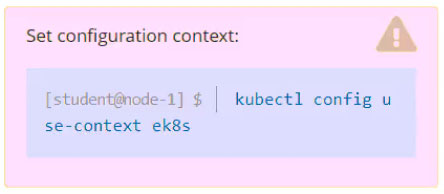
    SIMULATION - Task - Set the node named ek8s-node-0 as unavailable and reschedule all the pods running on it.

    Exhibit 1 for question 2
      Reveal solution & explanation
      Suggested solution
      kubectl drain ek8s-node-0 --ignore-daemonsets --delete-emptydir-data --force

      drain cordons the node and evicts eligible workloads so controllers can reschedule them elsewhere.

      Topic 1 Β· Question 3

      SIMULATION - Task - Given an existing Kubernetes cluster running version 1.22.1, upgrade all of the Kubernetes control plane and node components on the master node only to version 1.22.2. Be sure to drain the master node before upgrading it and uncordon it after the upgrade. You are also expected to upgrade kubelet and kubectl on the master node.

      Exhibit 1 for question 3Exhibit 2 for question 3Exhibit 3 for question 3
        Reveal solution & explanation
        Suggested solution
        kubectl drain <master-node> --ignore-daemonsets
        apt-mark unhold kubeadm kubelet kubectl
        apt-get update && apt-get install -y kubeadm=1.22.2-00
        kubeadm upgrade plan
        kubeadm upgrade apply v1.22.2
        apt-get install -y kubelet=1.22.2-00 kubectl=1.22.2-00
        apt-mark hold kubeadm kubelet kubectl
        systemctl daemon-reload && systemctl restart kubelet
        kubectl uncordon <master-node>

        Upgrade kubeadm first, apply the control-plane upgrade, then upgrade kubelet and kubectl and return the node to service.

        Topic 1 Β· Question 4

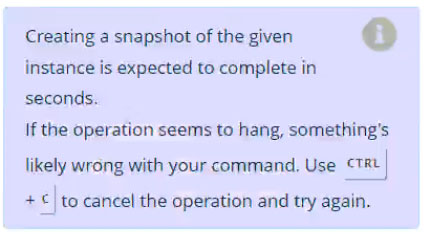
        SIMULATION - Task - First, create a snapshot of the existing etcd instance running at https://127.0.0.1:2379, saving the snapshot to /var/lib/backup/etcd-snapshot.db. Next, restore an existing, previous snapshot located at /var/lib/backup/etcd-snapshot-previous.db.

        Exhibit 1 for question 4Exhibit 2 for question 4Exhibit 3 for question 4
          Reveal solution & explanation
          Suggested solution
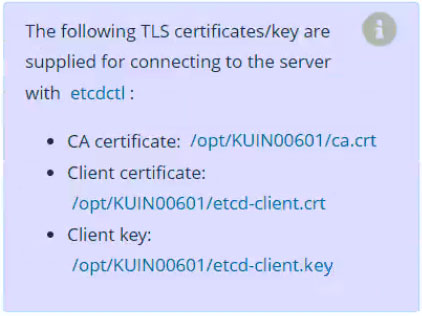
          ETCDCTL_API=3 etcdctl snapshot save /var/lib/backup/etcd-snapshot.db --endpoints=https://127.0.0.1:2379 --cacert=/etc/kubernetes/pki/etcd/ca.crt --cert=/etc/kubernetes/pki/etcd/server.crt --key=/etc/kubernetes/pki/etcd/server.key
          ETCDCTL_API=3 etcdctl snapshot restore /var/lib/backup/etcd-snapshot-previous.db --data-dir=/var/lib/etcd-from-backup
          # Point the etcd static Pod data-dir/hostPath at /var/lib/etcd-from-backup and verify the API server.

          The snapshot uses the etcd client certificates; restoration creates a new data directory that etcd must be configured to use.

          Topic 1 Β· Question 5

          SIMULATION - Task - Create a new NetworkPolicy named allow-port-from-namespace in the existing namespace fubar. Ensure that the new NetworkPolicy allows Pods in namespace internal to connect to port 9000 of Pods in namespace fubar. Further ensure that the new NetworkPolicy: β€’ does not allow access to Pods, which don't listen on port 9000 β€’ does not allow access from Pods, which are not in namespace internal

          Exhibit 1 for question 5
            Reveal solution & explanation
            Suggested solution
            kubectl label namespace internal kubernetes.io/metadata.name=internal --overwrite
            cat <<'EOF' | kubectl apply -f -
            apiVersion: networking.k8s.io/v1
            kind: NetworkPolicy
            metadata:
              name: allow-port-from-namespace
              namespace: fubar
            spec:
              podSelector: {}
              policyTypes: [Ingress]
              ingress:
              - from:
                - namespaceSelector:
                    matchLabels:
                      kubernetes.io/metadata.name: internal
                ports:
                - {protocol: TCP, port: 9000}
            EOF

            The empty pod selector protects every pod in fubar while the namespace and port selectors admit only the required traffic.

            Topic 1 Β· Question 6

            SIMULATION - Task - Reconfigure the existing deployment front-end and add a port specification named http exposing port 80/tcp of the existing container nginx. Create a new service named front-end-svc exposing the container port http. Configure the new service to also expose the individual Pods via a NodePort on the nodes on which they are scheduled.

            Exhibit 1 for question 6
              Reveal solution & explanation
              Suggested solution
              kubectl edit deployment front-end
              # Add to the nginx container: ports: [{name: http, containerPort: 80, protocol: TCP}]
              kubectl expose deployment front-end --name=front-end-svc --type=NodePort --port=80 --target-port=http
              kubectl get service front-end-svc

              The named container port lets the NodePort Service target the deployment's HTTP endpoint reliably.

              Topic 1 Β· Question 7

              SIMULATION - Task - Scale the deployment presentation to 3 pods.

              Exhibit 1 for question 7
                Reveal solution & explanation
                Suggested solution
                kubectl scale deployment presentation --replicas=3
                kubectl get deployment presentation

                Scaling updates the deployment's desired replica count to three.

                Topic 1 Β· Question 8

                SIMULATION - Task - Schedule a pod as follows: β€’ Name: nginx-kusc00401 β€’ Image: nginx β€’ Node selector: disk=ssd

                Exhibit 1 for question 8
                  Reveal solution & explanation
                  Suggested solution
                  kubectl run nginx-kusc00401 --image=nginx --dry-run=client -o yaml > pod.yaml
                  # Add under spec: nodeSelector: {disk: ssd}
                  kubectl apply -f pod.yaml

                  nodeSelector restricts the Pod to a node carrying the disk=ssd label.

                  Topic 1 Β· Question 9

                  SIMULATION - Task - Check to see how many nodes are ready (not including nodes tainted NoSchedule) and write the number to /opt/KUSC00402/kusc00402.txt.

                  Exhibit 1 for question 9
                    Reveal solution & explanation
                    Suggested solution
                    kubectl get nodes -o jsonpath='{range .items[?(@.status.conditions[?(@.type=="Ready")].status=="True")]}{.metadata.name}{"\t"}{.spec.taints}{"\n"}{end}' | grep -v 'NoSchedule' | wc -l > /opt/KUSC00402/kusc00402.txt

                    The command selects Ready nodes, excludes any with a NoSchedule taint, and writes only the count.

                    Topic 1 Β· Question 10

                    SIMULATION - Task - Schedule a Pod as follows: β€’ Name: kucc8 β€’ App Containers: 2 β€’ Container Name/Images: - nginx - consul

                    Exhibit 1 for question 10
                      Reveal solution & explanation
                      Suggested solution
                      cat <<'EOF' | kubectl apply -f -
                      apiVersion: v1
                      kind: Pod
                      metadata: {name: kucc8}
                      spec:
                        containers:
                        - {name: nginx, image: nginx}
                        - {name: consul, image: hashicorp/consul:latest}
                      EOF

                      Both containers share one Pod while retaining separate images and container names.

                      Topic 1 Β· Question 11

                      SIMULATION - Task - Create a persistent volume with name app-data, of capacity 2Gi and access mode ReadOnlyMany. The type of volume is hostPath and its location is /srv/app- data.

                      Exhibit 1 for question 11
                        Reveal solution & explanation
                        Suggested solution
                        cat <<'EOF' | kubectl apply -f -
                        apiVersion: v1
                        kind: PersistentVolume
                        metadata: {name: app-data}
                        spec:
                          capacity: {storage: 2Gi}
                          accessModes: [ReadOnlyMany]
                          hostPath: {path: /srv/app-data}
                        EOF

                        The PersistentVolume provides the requested hostPath capacity with ReadOnlyMany access.

                        Topic 1 Β· Question 12

                        SIMULATION - Task - Monitor the logs of pod foo and: β€’ Extract log lines corresponding to error file-not-found β€’ Write them to /opt/KUTR00101/foo

                        Exhibit 1 for question 12
                          Reveal solution & explanation
                          Suggested solution
                          mkdir -p /opt/KUTR00101
                          kubectl logs foo | grep 'file-not-found' > /opt/KUTR00101/foo

                          The pipeline filters the Pod log to matching records and redirects them to the required file.

                          Topic 1 Β· Question 13

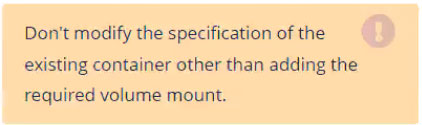
                          SIMULATION - Context - An existing Pod needs to be integrated into the Kubernetes built-in logging architecture (e.g. kubectl logs). Adding a streaming sidecar container is a good and common way to accomplish this requirement. Task - Add a sidecar container named sidecar, using the busybox image, to the existing Pod big-corp-app. The new sidecar container has to run the following command: Use a Volume, mounted at /var/log, to make the log file big-corp-app.log available to the sidecar container.

                          Exhibit 1 for question 13Exhibit 2 for question 13Exhibit 3 for question 13
                            Reveal solution & explanation
                            Suggested solution
                            kubectl get pod big-corp-app -o yaml > pod.yaml
                            # Recreate the Pod with an emptyDir mounted at /var/log in both containers and add:
                            # - name: sidecar
                            #   image: busybox
                            #   args: [/bin/sh, -c, 'tail -n+1 -F /var/log/big-corp-app.log']
                            #   volumeMounts: [{name: varlog, mountPath: /var/log}]
                            kubectl replace --force -f pod.yaml
                            kubectl logs big-corp-app -c sidecar

                            The shared emptyDir lets the sidecar continuously stream the main container's log file; the omitted command is recovered from the discussion and screenshot.

                            Topic 1 Β· Question 14

                            SIMULATION - Task - From the pod label name=overloaded-cpu, find pods running high CPU workloads and write the name of the pod consuming most CPU to the file /opt/ KUTR00401/KUTR00401.txt (which already exists).

                            Exhibit 1 for question 14
                              Reveal solution & explanation
                              Suggested solution
                              mkdir -p /opt/KUTR00401
                              kubectl top pod -l name=overloaded-cpu --sort-by=cpu --no-headers | awk 'NR==1 {print $1}' > /opt/KUTR00401/KUTR00401.txt

                              kubectl top sorts matching Pods by CPU and the pipeline writes the highest consumer's name.

                              Topic 1 Β· Question 15

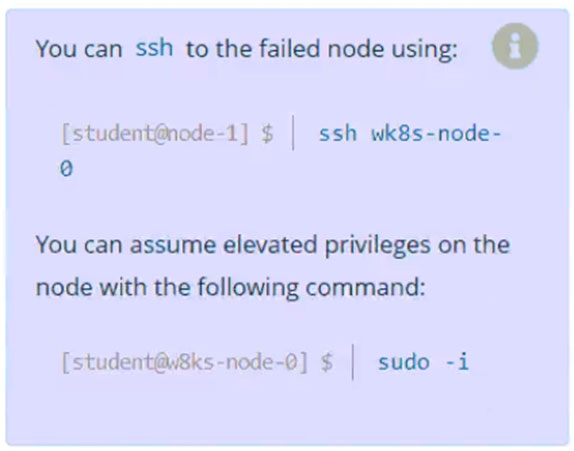
                              SIMULATION - Task - A Kubernetes worker node, named wk8s-node-0 is in state NotReady. Investigate why this is the case, and perform any appropriate steps to bring the node to a Ready state, ensuring that any changes are made permanent.

                              Exhibit 1 for question 15Exhibit 2 for question 15
                                Reveal solution & explanation
                                Suggested solution
                                kubectl describe node wk8s-node-0
                                ssh wk8s-node-0
                                sudo systemctl status kubelet
                                sudo systemctl enable --now kubelet
                                sudo systemctl restart kubelet
                                exit
                                kubectl get node wk8s-node-0

                                Enabling and restarting kubelet fixes the common NotReady cause and ensures the service returns after reboot.

                                Topic 1 Β· Question 16

                                SIMULATION - Task - Create a new PersistentVolumeClaim: β€’ Name: pv-volume β€’ Class: csi-hostpath-sc β€’ Capacity: 10Mi Create a new Pod which mounts the PersistentVolumeClaim as a volume: β€’ Name: web-server β€’ Image: nginx β€’ Mount path: /usr/share/nginx/html Configure the new Pod to have ReadWriteOnce access on the volume. Finally, using kubectl edit or kubectl patch expand the PersistentVolumeClaim to a capacity of 70Mi and record that change.

                                Exhibit 1 for question 16
                                  Reveal solution & explanation
                                  Suggested solution
                                  cat <<'EOF' | kubectl apply -f -
                                  apiVersion: v1
                                  kind: PersistentVolumeClaim
                                  metadata: {name: pv-volume}
                                  spec:
                                    storageClassName: csi-hostpath-sc
                                    accessModes: [ReadWriteOnce]
                                    resources: {requests: {storage: 10Mi}}
                                  ---
                                  apiVersion: v1
                                  kind: Pod
                                  metadata: {name: web-server}
                                  spec:
                                    containers:
                                    - name: web-server
                                      image: nginx
                                      volumeMounts: [{name: data, mountPath: /usr/share/nginx/html}]
                                    volumes:
                                    - name: data
                                      persistentVolumeClaim: {claimName: pv-volume}
                                  EOF
                                  kubectl patch pvc pv-volume -p '{"spec":{"resources":{"requests":{"storage":"70Mi"}}}}'
                                  kubectl get pvc pv-volume

                                  The claim requests the provided storage class, the Pod mounts it, and the patch expands the requested capacity when the class allows expansion.

                                  Topic 1 Β· Question 17

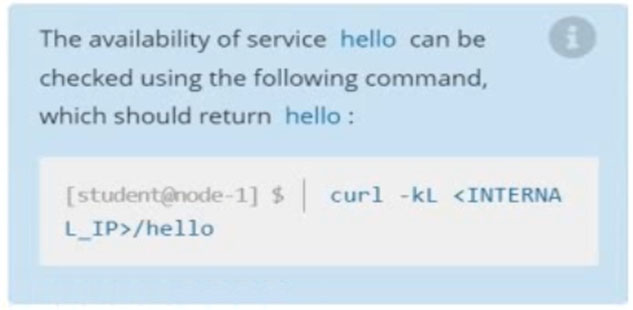
                                  SIMULATION - Task - Create a new nginx Ingress resource as follows: β€’ Name: pong β€’ Namespace: ing-internal β€’ Exposing service hello on path /hello using service port 5678

                                  Exhibit 1 for question 17Exhibit 2 for question 17
                                    Reveal solution & explanation
                                    Suggested solution
                                    kubectl create ingress pong -n ing-internal --class=nginx --rule='/hello/*=hello:5678'
                                    kubectl describe ingress pong -n ing-internal

                                    A Prefix path sends /hello traffic through the nginx Ingress to service hello on port 5678.

                                    Topic 1 Β· Question 18

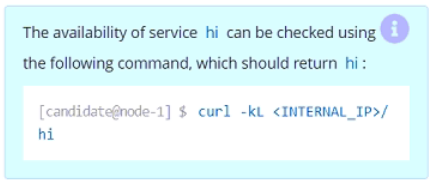
                                    SIMULATION - Task - Create a new nginx Ingress resource as follows: β€’ Name: ping β€’ Namespace: ing-internal β€’ Exposing service hi on path /hi using service port 5678

                                    Exhibit 1 for question 18Exhibit 2 for question 18Exhibit 3 for question 18
                                      Reveal solution & explanation
                                      Suggested solution
                                      kubectl create ingress ping -n ing-internal --class=nginx --rule='/hi/*=hi:5678'
                                      kubectl describe ingress ping -n ing-internal

                                      A Prefix path sends /hi traffic through the nginx Ingress to service hi on port 5678.

                                      Topic 1 Β· Question 19

                                      SIMULATION - Task - Create a new NetworkPolicy named allow-port-from-namespace in the existing namespace echo. Ensure that the new NetworkPolicy allows Pods in namespace internal to connect to port 9200/tcp of Pods in namespace echo. Further ensure that the new NetworkPolicy: β€’ does not allow access to Pods, which don't listen on port 9200/tcp β€’ does not allow access from Pods, which are not in namespace internal

                                      Exhibit 1 for question 19Exhibit 2 for question 19
                                        Reveal solution & explanation
                                        Suggested solution
                                        cat <<'EOF' | kubectl apply -f -
                                        apiVersion: networking.k8s.io/v1
                                        kind: NetworkPolicy
                                        metadata: {name: allow-port-from-namespace, namespace: echo}
                                        spec:
                                          podSelector: {}
                                          policyTypes: [Ingress]
                                          ingress:
                                          - from:
                                            - namespaceSelector:
                                                matchLabels: {kubernetes.io/metadata.name: internal}
                                            ports:
                                            - {protocol: TCP, port: 9200}
                                        EOF

                                        The policy permits only TCP 9200 ingress from the internal namespace to Pods in echo.

                                        Topic 1 Β· Question 20

                                        SIMULATION - Task - Schedule a Pod as follows: β€’ Name: kucc1 β€’ App Containers: 2 β€’ Container Name/images: o redis o consul

                                        Exhibit 1 for question 20Exhibit 2 for question 20
                                          Reveal solution & explanation
                                          Suggested solution
                                          cat <<'EOF' | kubectl apply -f -
                                          apiVersion: v1
                                          kind: Pod
                                          metadata: {name: kucc1}
                                          spec:
                                            containers:
                                            - {name: redis, image: redis}
                                            - {name: consul, image: hashicorp/consul:latest}
                                          EOF

                                          The manifest schedules the two required containers in one Pod.

                                          Showing questions 1–20 of 23 Β· Page 1 of 2